In my previous post, I wrote about how to transfer files from one location to another using UDP connection for client server model. There was a limitation of how much size of data can be passed. Now I will discuss about how to pass any types and size of data using UDP connection.
As the file is larger, we can't send the file simply by using DatagramPacket with the help of our byte array. So what we need to do is that we will first divide the full file into some chunks or small size of byte array, say 1024 bytes each. Then we will count how many byte array is required to transfer the file fully. Then we will use a loop to send all the chunks serially.

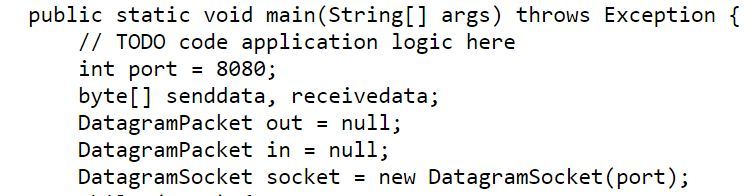
We created a DatagramSocket ds, DatagramPacket out, byte array snd of size 1024. We created a File f1 and gave the location of the file to be transfered. Now for getting how many packets are required to transfer the file fully, we divided the file by the length of our byte array. So no_of_pkt will hold how many packets are needed to be sent. We then simply send the value to the server to let the server know that, the next file it will receive, will have no_of_pkt number of packets that are to be transfered.

We created a FileInputStream ff to transfer the packets at a time to the server. Inside the loop, we just created byte array of size 1024 each time of sending a new packet. The server will gradually receive these packets one at a time.
Thread.sleep(10L): Pausing Execution with Sleep. Thread.sleep causes the current thread to suspend execution for a specified period. This is an efficient means of making processor time available to the other threads of an application or other applications that might be running on a computer system. We need this as we have many packets to be send, we will consider each of the sending process as a new different thread.
The server will also receive packets with the same loop stated above and gradually write them in a new file.
Sometimes server can't write all the packets. Packets may loss at the time of transfering process. Client will send all the packets but because server can't get all the data ( approximately 10-20% loss ) we need to wrap our whole program in a try-catch for exception. As each time we are sending and receiving new FileStream, we need to check whether they contain data from the previous packet or not. If they have data from the previous packet, then these types of data loss occurs. We need to handle it accordingly. Simply nullifying the Stream before each packet ( both sending and receiving ) will help.
As the file is larger, we can't send the file simply by using DatagramPacket with the help of our byte array. So what we need to do is that we will first divide the full file into some chunks or small size of byte array, say 1024 bytes each. Then we will count how many byte array is required to transfer the file fully. Then we will use a loop to send all the chunks serially.

We created a DatagramSocket ds, DatagramPacket out, byte array snd of size 1024. We created a File f1 and gave the location of the file to be transfered. Now for getting how many packets are required to transfer the file fully, we divided the file by the length of our byte array. So no_of_pkt will hold how many packets are needed to be sent. We then simply send the value to the server to let the server know that, the next file it will receive, will have no_of_pkt number of packets that are to be transfered.

We created a FileInputStream ff to transfer the packets at a time to the server. Inside the loop, we just created byte array of size 1024 each time of sending a new packet. The server will gradually receive these packets one at a time.
Thread.sleep(10L): Pausing Execution with Sleep. Thread.sleep causes the current thread to suspend execution for a specified period. This is an efficient means of making processor time available to the other threads of an application or other applications that might be running on a computer system. We need this as we have many packets to be send, we will consider each of the sending process as a new different thread.
The server will also receive packets with the same loop stated above and gradually write them in a new file.
Sometimes server can't write all the packets. Packets may loss at the time of transfering process. Client will send all the packets but because server can't get all the data ( approximately 10-20% loss ) we need to wrap our whole program in a try-catch for exception. As each time we are sending and receiving new FileStream, we need to check whether they contain data from the previous packet or not. If they have data from the previous packet, then these types of data loss occurs. We need to handle it accordingly. Simply nullifying the Stream before each packet ( both sending and receiving ) will help.